

Downloads
[Program] [Patch] Wi-Fi Issue Fix APK for NQN86 and ND86PT

 OSSettings2.0-change-network-listener2차 (2).zip (37.3 MB)
This APK file fixes Wi-Fi issues occurring on the NQN86, ND86PT, and ND86CONF models.
■ APK Patch Installation Procedure
1. Download the attached ZIP file.
2. Extract the ZIP file and save the APK file to a USB flash drive.
3. Connect the USB flash drive to a USB port on the interactive display.
4. From the home screen, open "File Explorer" (Explorer icon), locate the USB flash drive, and double-tap "OSSettings2.0-both_wifi_and_network.apk."
- If the message "Your phone and personal data are more vulnerable to attack by unknown apps" appears, tap "Continue."
- If the message "Do you want to update this app?" appears, tap "Update." 5. Tap "OK" to start the patch installation. After the installation is complete, press and hold the "Power" button to shut down and restart the product. You can then use the product as usual.
■ If "System cannot support installation" appears
Follow the steps below first, then try the APK patch installation procedure again.
※ Caution: Changing settings other than those specified below in the Debugging Menu may cause problems with normal product operation. Do not modify any other settings.
1. From the main screen, tap "Settings.
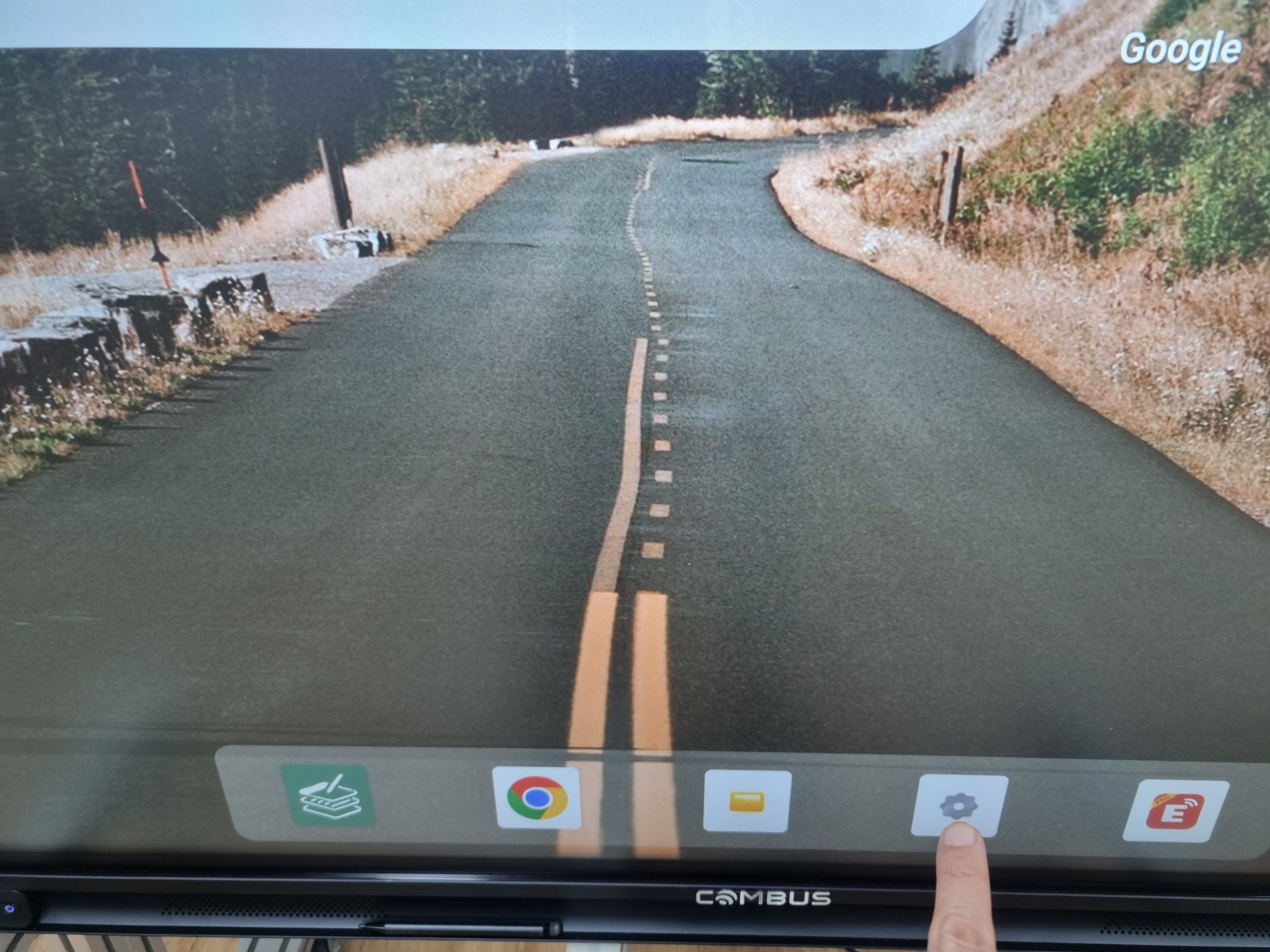
2. Select "More" → "Android Version" and tap "Android Version" at least five times.

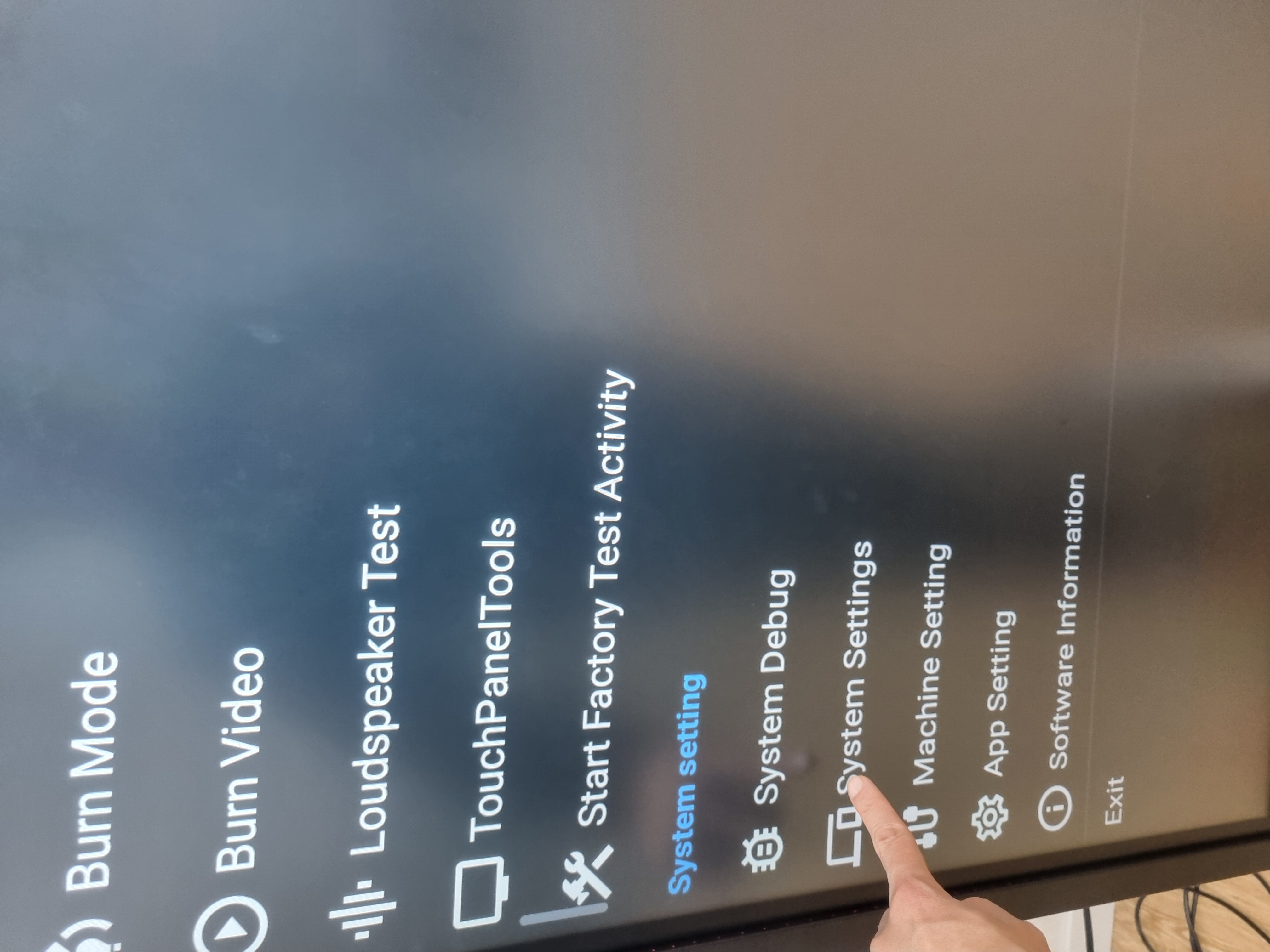
3. When the Debugging Mode settings screen appears, tap "System setting" → "System Settings."
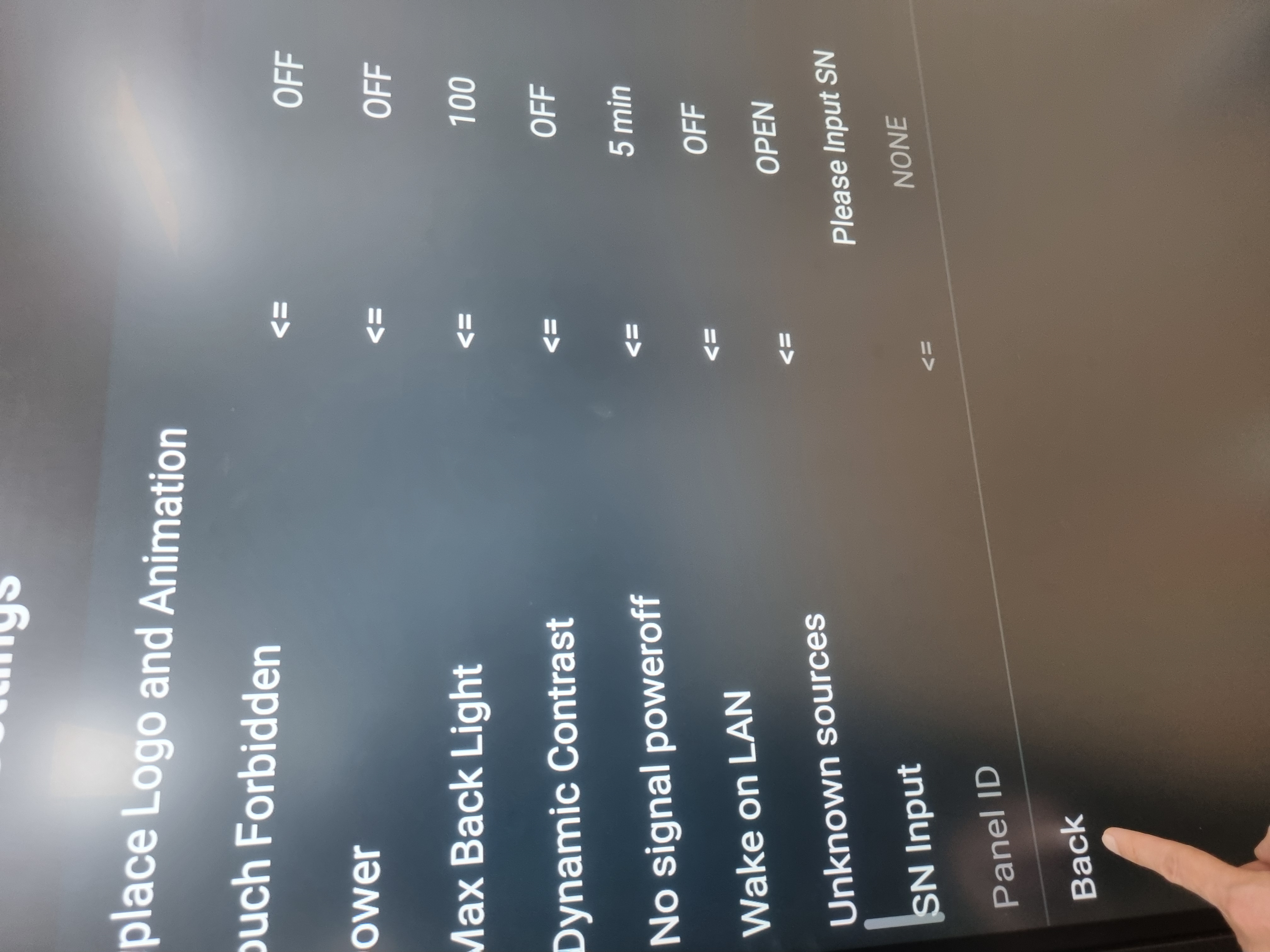
4. Tap "Unknown sources" and set it to "OFF."

5. When the pop-up appears, select "CONFIRM" to change the status to "OPEN."

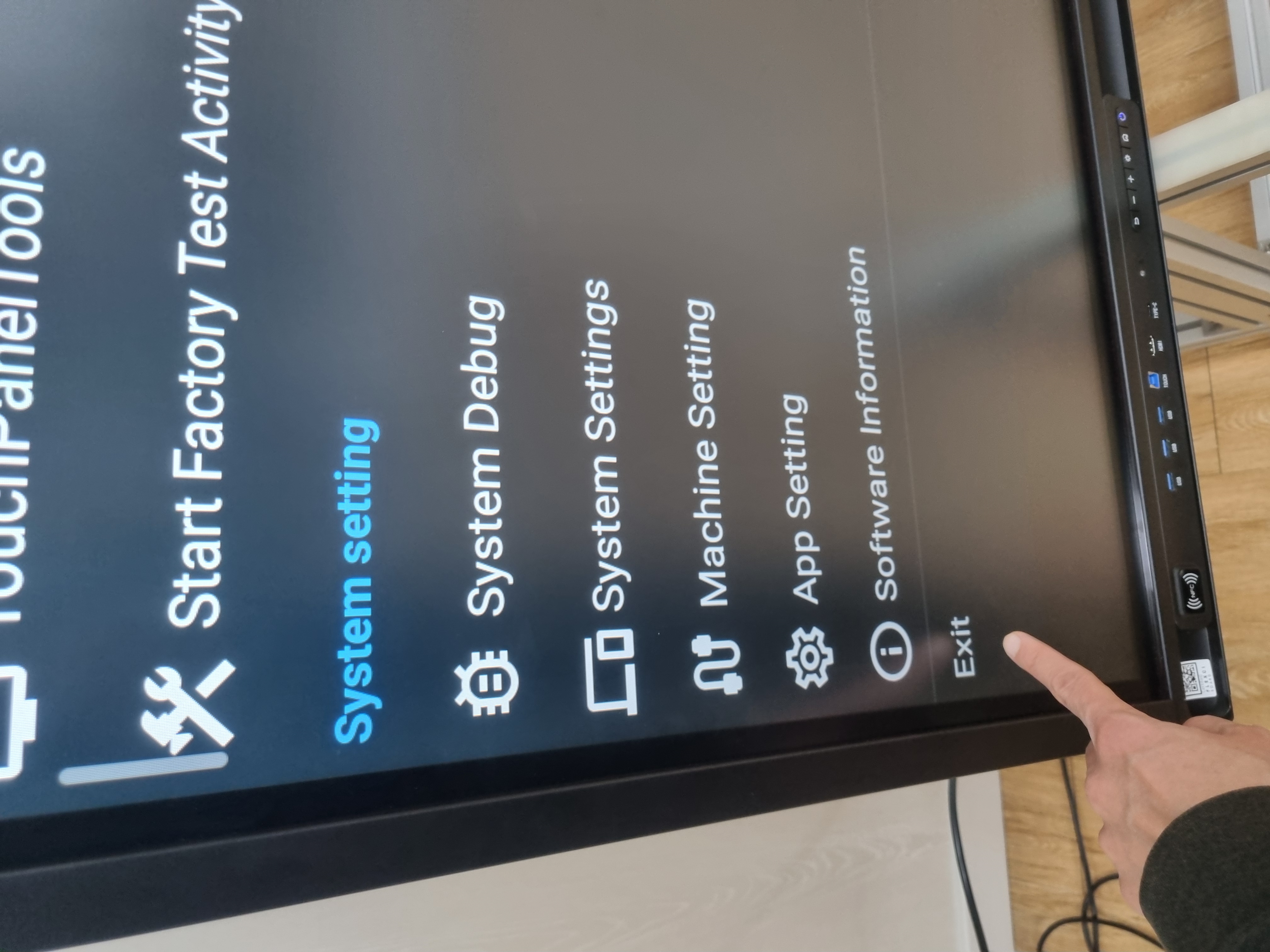
6. Select "Back" → "Exit" to exit the Debugging Settings Mode.
- New post
- There is no new post.


- Headquarters
- 401–404, Ace High-End Tower 6, 234 Beotkkot-ro, Geumcheon-gu, Seoul, Republic of Korea (Gasan-dong)
- Factory
- 107 Hogokgongdan-ro, Ujeong-eup, Hwaseong-si, Gyeonggi-do, Republic of Korea
- R&D Center
- Room 402, 234 Beotkkot-ro, Geumcheon-gu, Seoul, Republic of Korea (Gasan-dong)
- Tel
- +82-2-6299-5151 [Customer Center: Ext. 1 / Sales: Ext. 2]
- Fax
- +82-2-6299-5158
- Hours
- 08:30 - 17:30 (Lunch 12:30 - 13:30)
